Compare - The market-leading document comparison tool used by 99% of Am Law 100. It allows you to track the evolution of your document simply and easily.
Background
Originally developed by Workshare Compare and released in 2000 this is a hugely popular product regularly generating +8 million comparisons a month. Primarily a desktop application with a number of useful integrations into MS Word & popular document management systems (DMS) like iManage.
Objective
With new cloud-based comparison products competing for market share, Litera wanted to accelerate moving Compare to the cloud and improve its UI to win in this new space. I was tasked with facilitating a design sprint with business and product leaders, legal knowledge experts (LKEs), and our super talented Senior Designer, Michelle. The sprint would enable Litera to discover a competitive UX path forward for Compare, explore all interfaces (touch-points), tiers, and integrations, investigate generative AI opportunities, and determine how Compare could be added to other Litera drafting workflows.
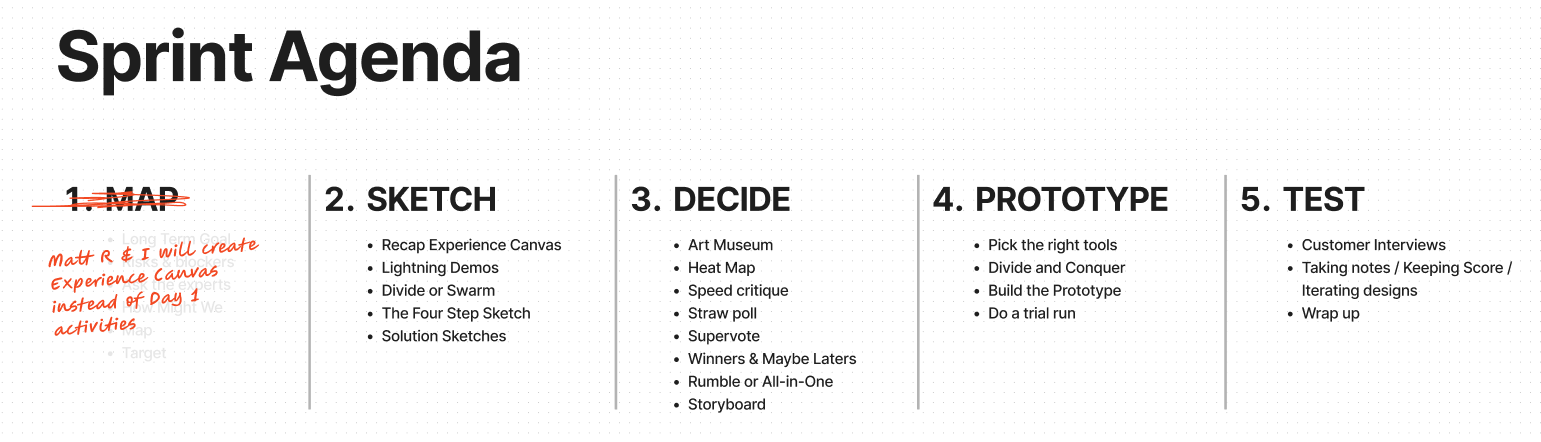
As we already knew a lot about the product and the space we were targeting, we excluded the first day of the Design Sprint framework. Instead, the product owner, Matt (an original Workshare legend) and I listed a number of discovery points:
1. Problem Statement/Business Problem - Identify all problems
2. Business Outcomes - What changes in customer behaviour will indicate you have solved a real problem in a way that adds value to your customers?
3. Users and Customers - What types of users & customers should you focus on first?
4. User benefits (Future state) - What are the goals your users are trying to achieve? What is motivating them to seek out your solution?
5. Solution ideas - List product/feature/enhancement ideas that help your target audience achieve the benefits they are seeking.
6. Hypothesis - Combine the assumptions from 2, 3, 4 and 5 into the following template hypothesis statement: "We believe that [business outcome] will be achieved if [user] attains [benefit] with [feature]". Each hypothesis should focus on one feature.
7. What is our unique value proposition?
8. What is our unfair advantage?
Along with the above we had a clear product proposition and launch strategy from our Chief Product Officer with some aggressive timeframes.
My Role
As the UX design lead on this project, I set up and facilitated a multi-day design sprint using the well-known Design Sprint framework described in Jake Knapp's popular book.
Day 1: We met on Teams and had a busy but fruitful day, gaining clarity on lawyer workflows and competitors while staying focused on our discovery. We ended the day with some fun solution sketching time, which some decided to do asynchronously as homework. I created multiple user flows based on the day's discussions, release strategy, and touch-points as my 'homework.'
Day 2: This day was about honing the solutions and deciding on the path forward to be prototyped. This involved critiquing the multiple solution sketches and voting on the best ideas in terms of functionality, workflow, and UI design.
Day 3: I worked closely with the Senior Designer, assisting with designing and prototyping the various features of the new cloud-based product solution. I mostly owned the integrated Compare in Word solution designs but collaborated on all designs with Michelle and the rest of the team.
We used the Litera Design System the team had been setting up to generate the prototypes. See more about this internal product here »
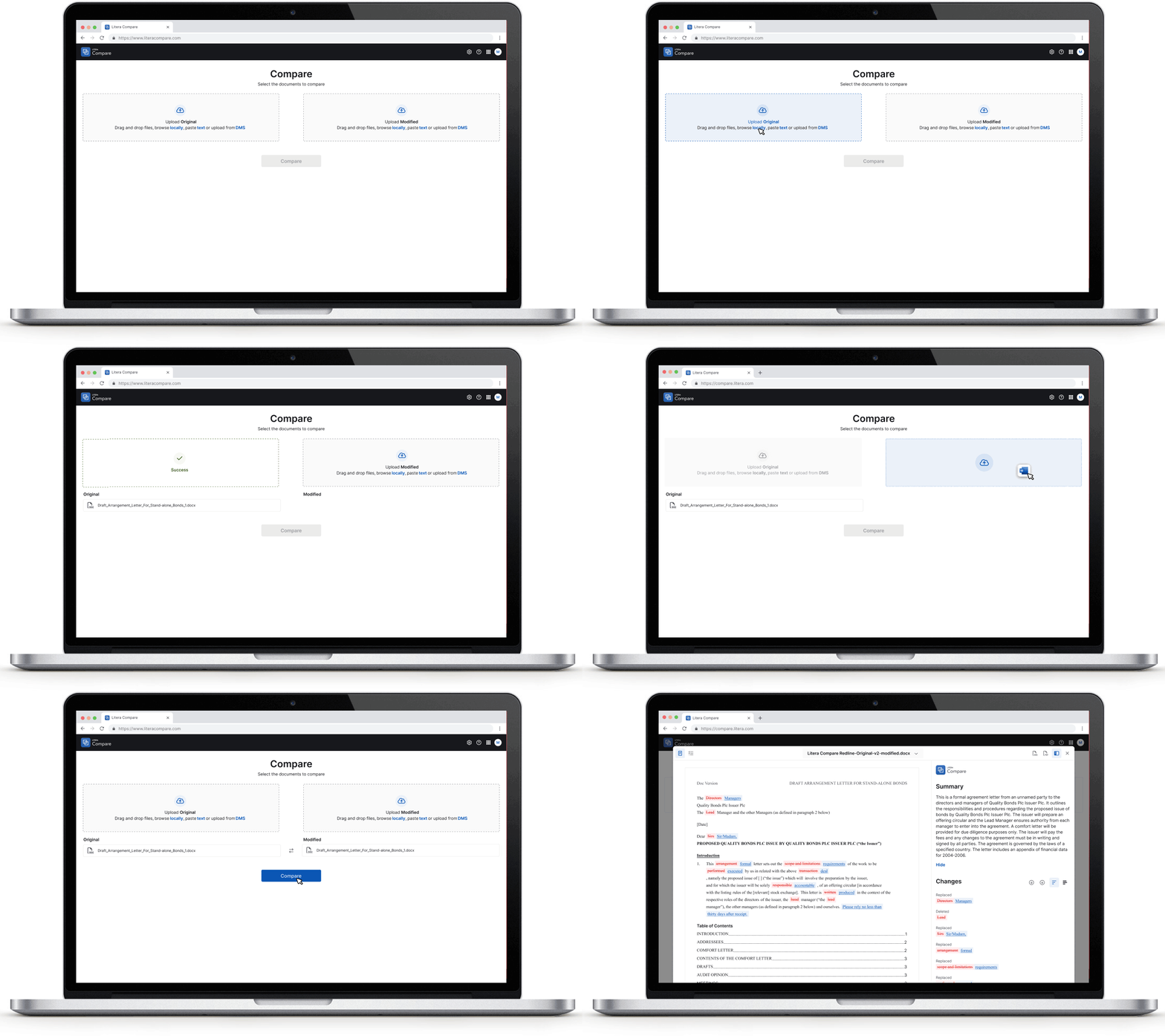
Day 4: We set up meetings with multiple Subject Matter Experts (SMEs) Litera is fortunate to have, as well as two Compare clients, to user test the new happy flows. Prepped with a series of questions and prompts for our testing, we were able to get a good sense of the new interface's usability and discovered small areas we needed to iterate on.
Day 5: We presented our findings and the new interface to senior management, who signed off on the new designs and approved the allocation of development resources.
Word Add-In
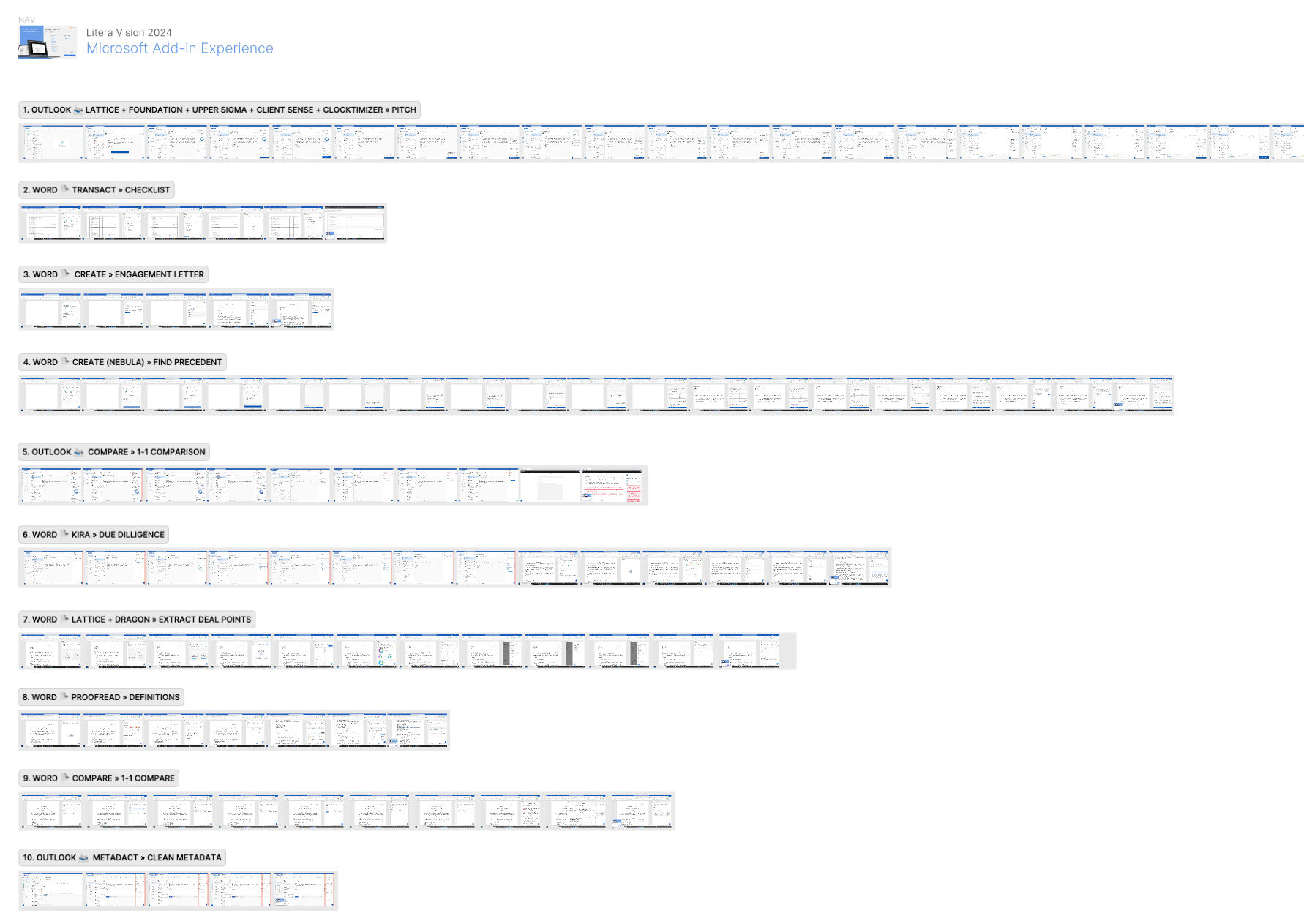
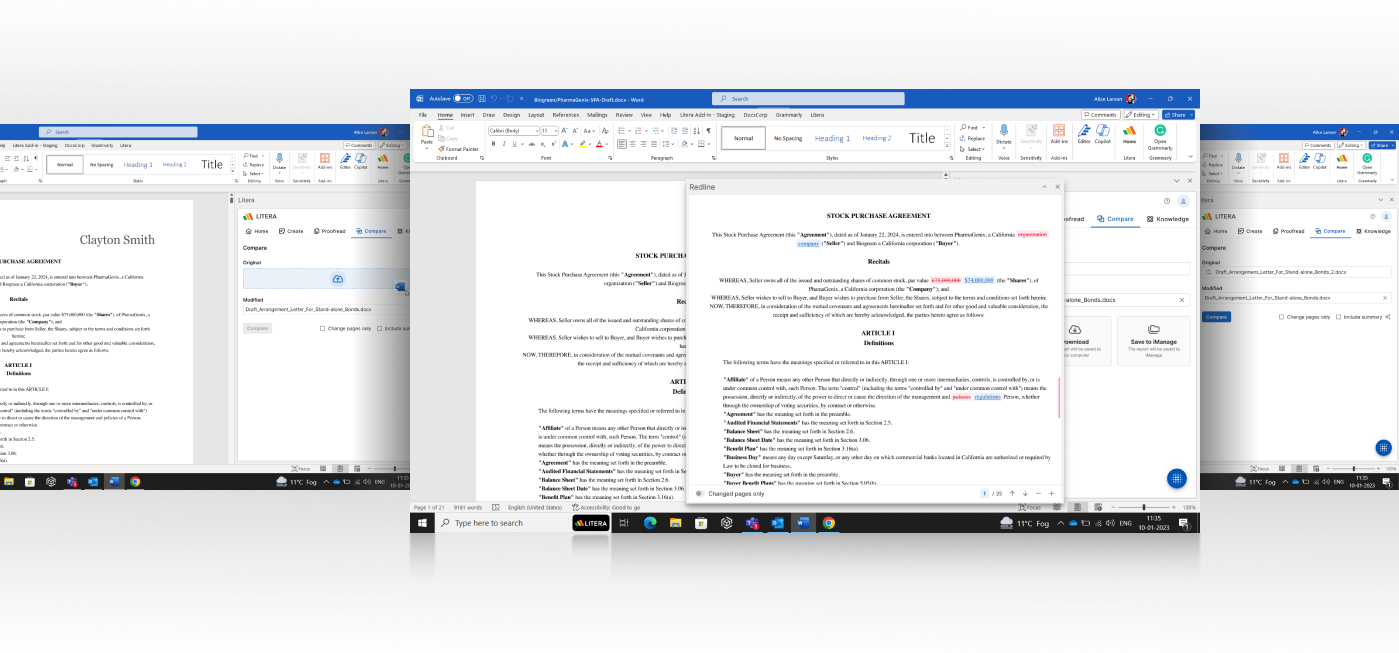
Compare has already joined the new improved cloud based Drafting Word Add-In that launches into beta in Q2 of 2024. The user is able to use the 'open document' as the original file & source a modified file to compare it to. The redline comparison will be launched in a new Word task pane window for convenience.
Outlook Add-In
A more appropriate space for Compare, in the lawyer workflow, is Outlook.
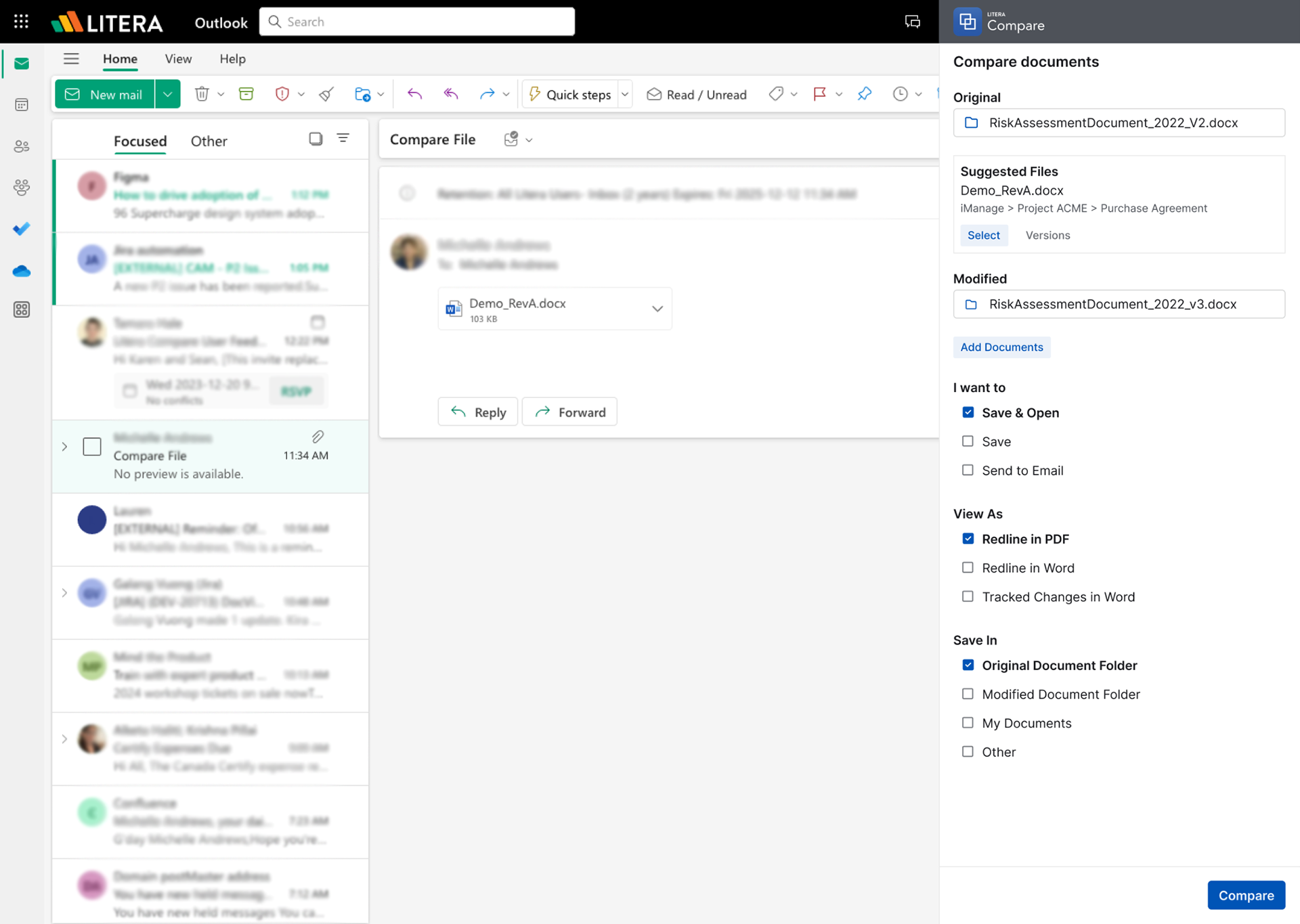
With countless versions of documents being emailed internally and to "the other side" needing to be compared, it made complete sense to integrate Compare into Outlook. Any new received version attached to an email would be pre-populated as a new/modified version. Users would then be prompted to source or ideally choose a suggested original version to compare.
Two clicks (source original + Compare button) and you could open a redline version of the changes. Additional default options can be preset.
The Design Sprint Outcomes
In a very short space of time, we arrived at a viable and tested path forward for Compare Cloud, making considerable design improvements to the product along the way. We added new functionality for comparing 1 » many documents and many » many documents, along with a new summary of changes generated by AI.
Additionally, we designed for all touch-points: standalone, Word, and Outlook. We also simplified the iManage (DMS) integration, cleaning up the many legacy names and options for accessing Compare.
With the comparison engine long established, the development was mostly frontend, building out new bespoke organisms within our new Litera Design System. Constructing the interface was straightforward. A simple viewer application will initially be used to display redlines, but there is a lot more opportunity and focus being given to a new document viewing product in 2024.
Enhanced integrated lawyer workflow
A big focus for Litera in 2024 is to integrate and merge all of the separate products it has acquired through its period of hyper-growth, providing users seamless access to multiple Litera products wherever they are working. Central to this is the Microsoft environment, which is deeply ingrained in large law firms. This means looking at ways for Litera products to show up in this space.
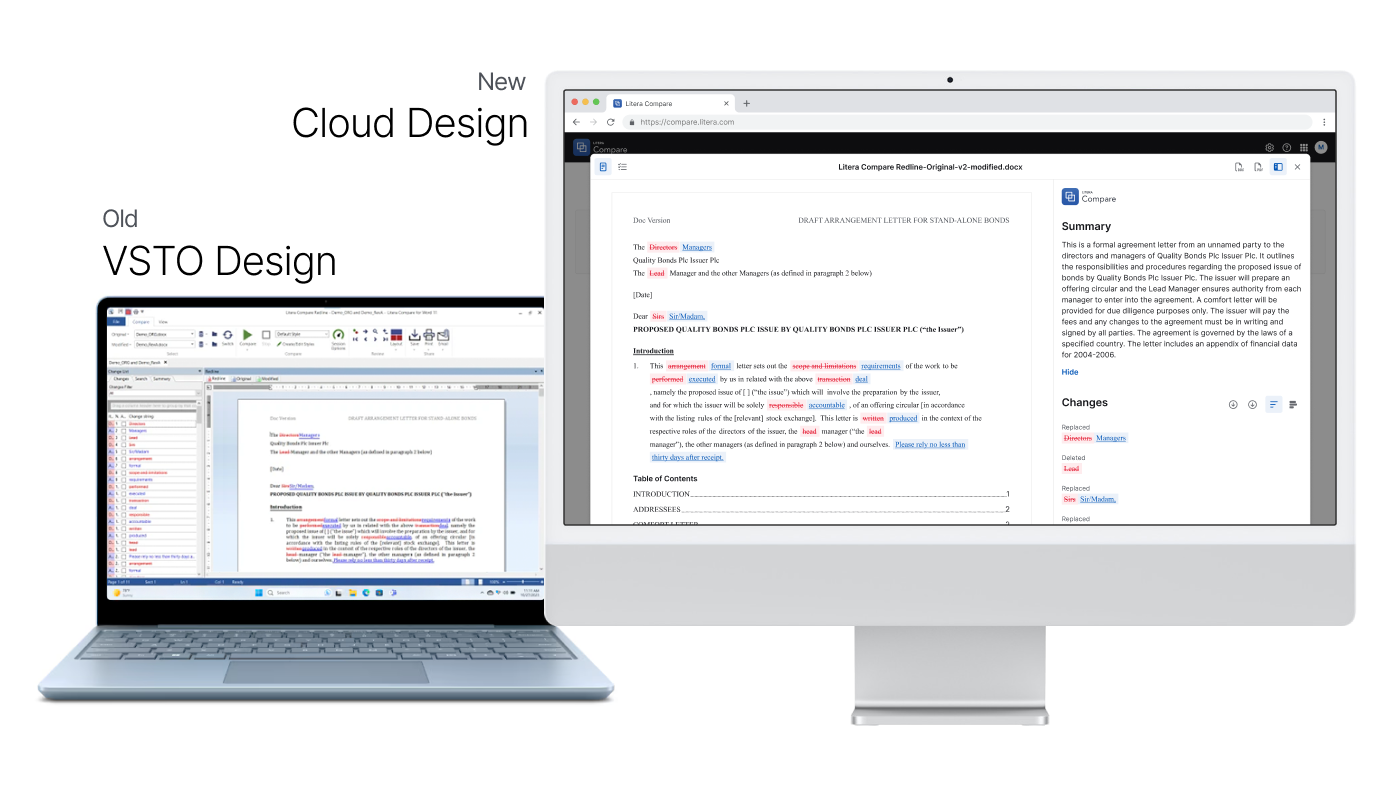
Add-in apps for both Word and Outlook are existing areas where Litera software is accessed; however, the products are largely old VSTO add-ins and are not well integrated with each other.